title: filetypes sub_title: operating systems & open source group date: feb 12 2026 author: carston wiebe theme: name: tokyonight-storm override: footer: style: template center: ‘FILETYPES : MD : FEB 11 2026’ right: ‘{current_slide} / {total_slides}’
what are some filetypes?
audio
- mp3
- flac
- wav
- m4a
- ogg
- opus
image
- png
- jpeg
- avif
- heic
- svg
- webp
- gif
video
- mp4
- mov
document
- html
- docx
- pptx
- xlsx
- gdoc
- gslides
- gsheet
- epub
- mobi
container
- mkv
- zip
- tar
- riff
program
- jar
- exe
- apk
- apkm
- apks
text
- txt
- md
- adoc
code
- c
- java
- …
data
- json
???
- xml
common types
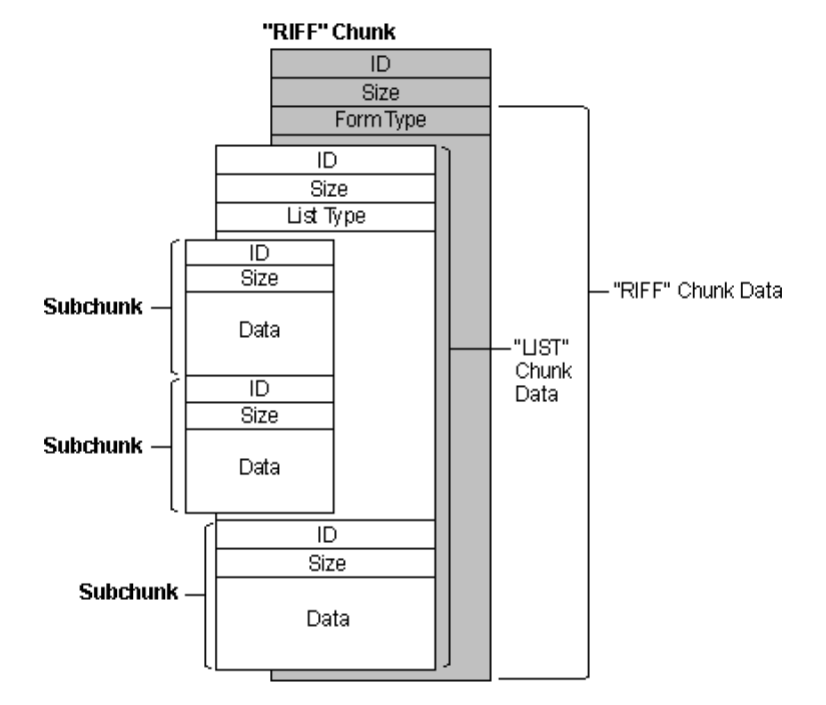
riff
- resource interchange file format
- full of “chunks” of data (in bits)
- each chunk header contains the chunk’s type and size
xml
- full of “tags” which contain data (strings)
- tags open and close themselves and have attributes
<html><head></head><body></body></html>
zip
- compresses data using one of many algorithms
- primarily
deflate(also used in pngs!)
how does your computer know a file’s type?
file extension
- easily fooled
guess
- based on the file contents
- not always accurate or possible
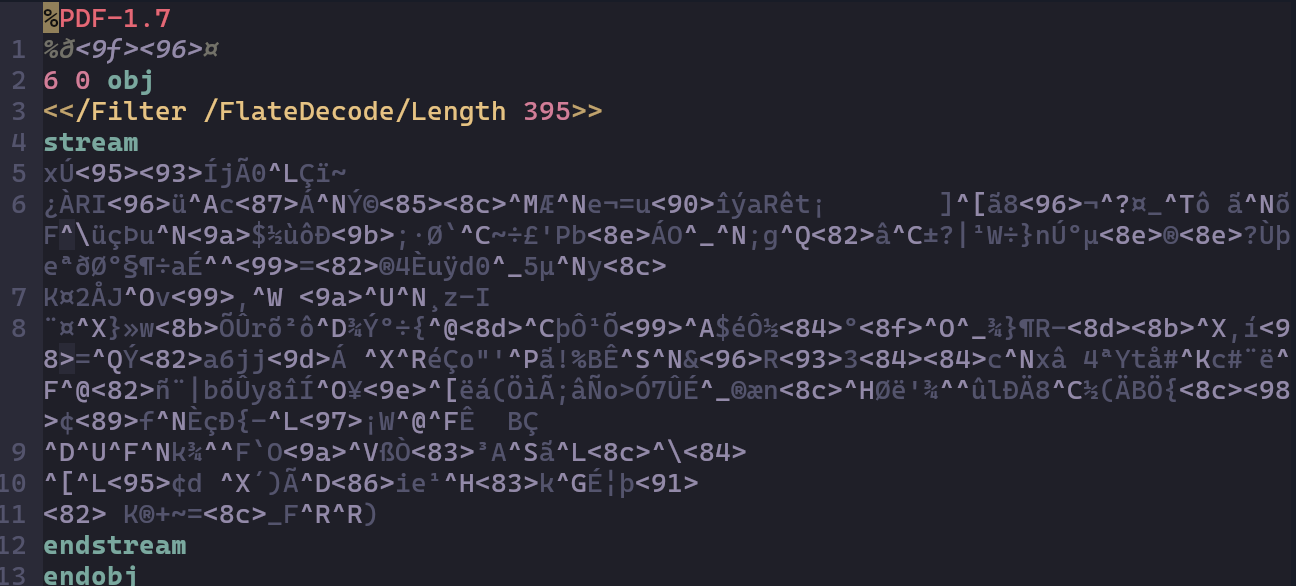
type signatures
- also called magic numbers
- opening x bits of the file
inside a pdf
inside a png
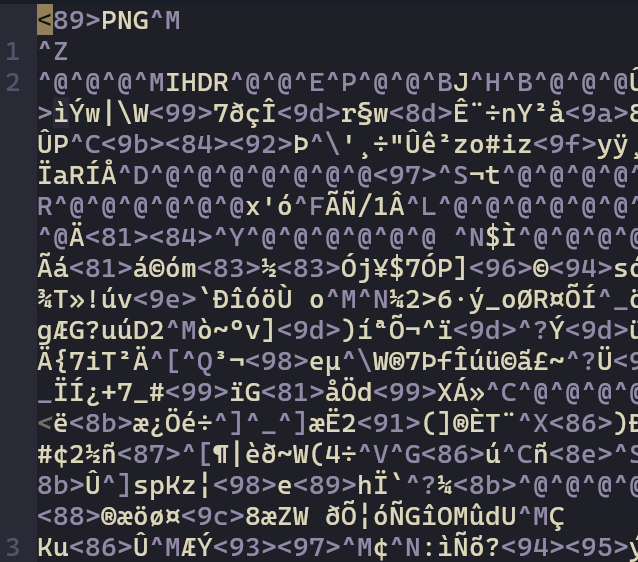
- eight byte signature
0x89504e470d0a1a0a
0x89
: 0b10001001, can’t be 7-bit
0x504e47
: ascii for png
0x0d0a
: dos-style line ending
0x1a
: dos-style end-of-file
0x0a
: unix-style line ending
files that lie to you
how
- file extensions that don’t match the file signature
- file extensions that do match, but take advantage of how a parser works
why
- malicious intent
- completely normal reasons
examples
- arbitrarily rename text files
- html vs xml
- svg vs xml
- wav vs riff
- jar vs zip
- gdoc vs json
- docx vs xml
- docx vs zip
- pptx vs xml
- pptx vs zip
- opf vs xml
- opf vs zip
- epub vs xml
- epub vs zip
- mobi vs xml
- mobi vs zip
- azw vs xml
- azw vs zip
- kf8 vs xml
- kf8 vs zip
everything is a zip file of xml
- turns out making your file format is hard
- using an existing one is easy
- but, you don’t want your files getting read by the wrong software
- the practice goes back to at least 1991 w/ wav
- most filetypes are like this
real filetypes
mkv
- from matroska (pronounced matryoshka, the word for russian nesting doll)
- released 2002
- container for unlimited audio, video, images, and subtitles
- commonly used as output from video/audio creation software, and you then strip out what you need

- honorary zip file of xml, but for extensible binary meta language
- ebml is xml but binary, with opening/closing tags, created for mkvs
- arbitrary-length “tags” in binary with clever trick
real filetypes
mp3
- lossy compression format that commonly achieves 75%–95% reduction in size
- revolutionized music distribution
- designed by the moving picture experts group, developed largely in germany by the fraunhofer society
- released 1991
- objectively very cool
real filetypes
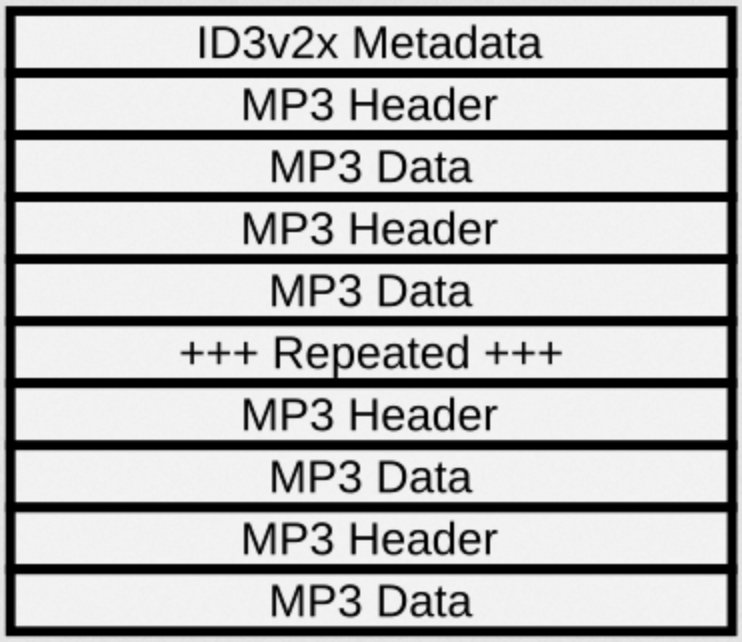
mp3 file structure
mp3 encoding
- divide the audio into small, overlapping pieces
- convert each piece into a sum of cos functions
- perform the fourier transform on each piece
- remove sounds humans can’t hear
- encode each piece according to the bitrate
- format each piece into an mp3 header/data block
math stuff
laplace
```typst +render $ cal(L){1} &= 1/s \ cal(L){t} &= 1/s^2 \ cal(L){e^(a t)} &= 1/(s-a) \ cal(L){(d f(t)) / (d t)} &= s F(s) $
<!--pause-->

# fourier

```typst +render
$
cal(F){cos(a t)} &= pi delta_a + pi delta_(-a)
$
dct
- discrete cosine transform
- type i : dct
- type ii : idct
- type iii : dst
- type iv : mdct
fft
- fast fourier transform
- equivalent to discrete fourier transform
- mathematically the same, faster, and more accurate
real filetypes
png
- lossless compression format
- pronounced “ping” apparently

- created to be an improved version of gif (pronounced “jif” apparently)
- designed by the portable network graphics development group
- released 1996
real filetypes
png file structure
- type signature:
0x89504e470d0a1a0a
- made up of “chunks”, like mp3s and riffs
- but png’s headers are more fun
- 4 bytes for size
- 4 bytes for type
- x bytes for data
- 4 bytes for checksum
png headers
- chunk types are given as ascii words
IHDRPLTEIDATIENDbKGDgAMAeXIf
- the case of each letter gives additional info
- 1st = critical
- 2nd = public
- 3rd = reserved
- 4th = dependent
real filetypes
png compression
- uses
deflate
deflatereally likes zeros
- first uses one of a number of prediction methods
- that number is 1
- called method 0
- do nothing
next = prev
next = upper
next = prev upper
next = closest to prev + upper - prev upper
- intended to get everything close to 0 for
deflates benefit
- basically, take the derivative of the image

closing
- most filetypes are fake
- basically just different ways of telling the computer to stop reading
- the real ones are normally for media
- and use scary math like derivatives and transforms
in many ways they are very simple — computers have to read them really fast, and complication costs a lot
fin.
any questions?
activity
write a little parser
don’t worry it’s not that hard. trust
riff
id   : 4 bytes
size : 4 bytes (little-endian)
data : size bytes
pad  : 1 or 0 bytes (total must be even)
if id is RIFF or LIST then the first 4 bytes of data will be a name,
and the rest of data is more chunks